This supplements brand serves the North American online retail market. Customers need to understand ingredients, specifications, product ranges and brand information alongside price. The website must explain these details clearly before directing visitors to the right product and purchasing options.
The client wanted a standalone store informed by comparable brands, combining brand content, detailed product information, one-time purchases and subscriptions. The work needed to connect theme configuration and page development with product data, prices and purchasing options.
We reviewed comparable stores, planned content, developed Shopify pages and templates, configured the theme and set up subscription purchasing. Core pages and purchase journeys were checked before launch, followed by admin training so the client’s team could maintain products and website content.
The challenges
Product information needs a clear explanation
Provide content addressing ingredients, quality and product differences before customers buy.
Brand content needs to connect with products
Connect the brand story, collections and purchase areas into a continuous browsing journey.
Day-to-day control after handover
Templates and admin training must enable the team to keep products and content up to date.
02Our scope of work
Research and content planning
Review comparable supplements brands and organize product ranges, ingredients, specifications, brand information and quality-related content. Define the role of home, collection, product and editorial pages and connect supporting information with product entry points.
DeliverableSite structure and content plan
Theme configuration and page development
Configure the Shopify theme and implement the agreed brand and product pages and templates. Organize imagery, explanatory copy and purchase controls, checking hierarchy and layout on desktop and mobile.
DeliverableOperational branded storefront
One-time and subscription purchasing
Connect product details and specifications with one-time and subscription-purchase options. Configure the existing purchasing capabilities and test the associated prices and shopping interactions.
DeliverableConnected purchasing options
Launch testing and admin training
Check navigation, product browsing, purchase choices and key actions, resolving review and test feedback. Explain routine product, page and content maintenance as part of the operational handover.
DeliverableWebsite delivery and operational training
03Pages, features and journeys
Project interface
01
Introduce the product range from the homepage
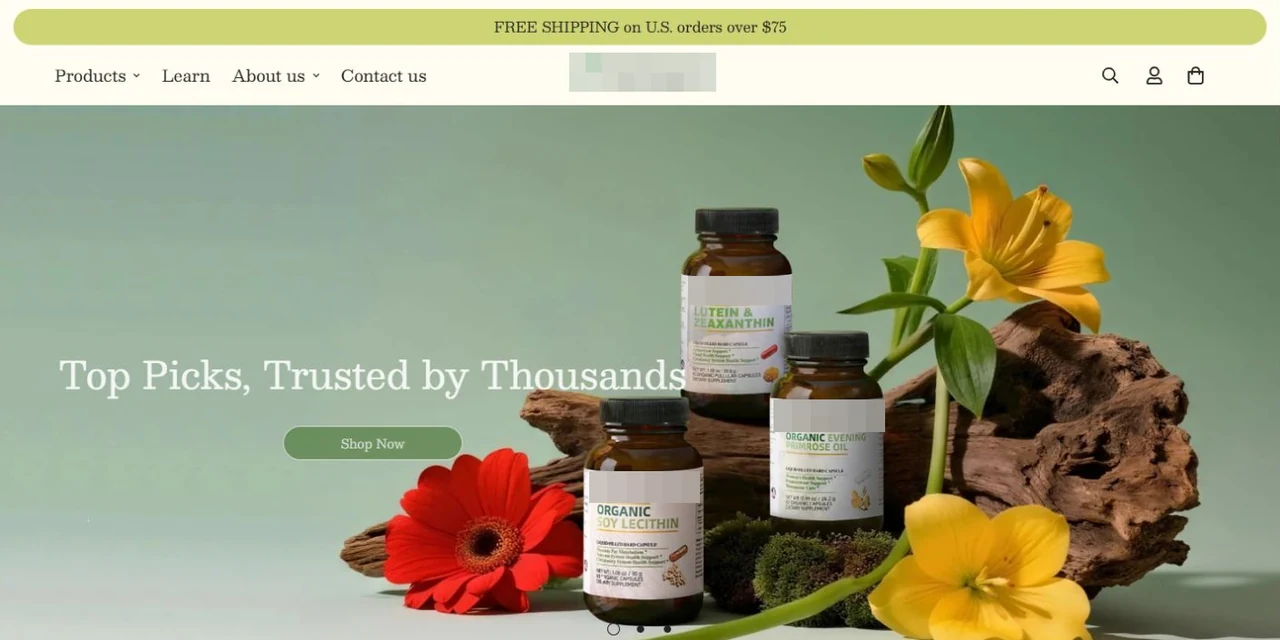
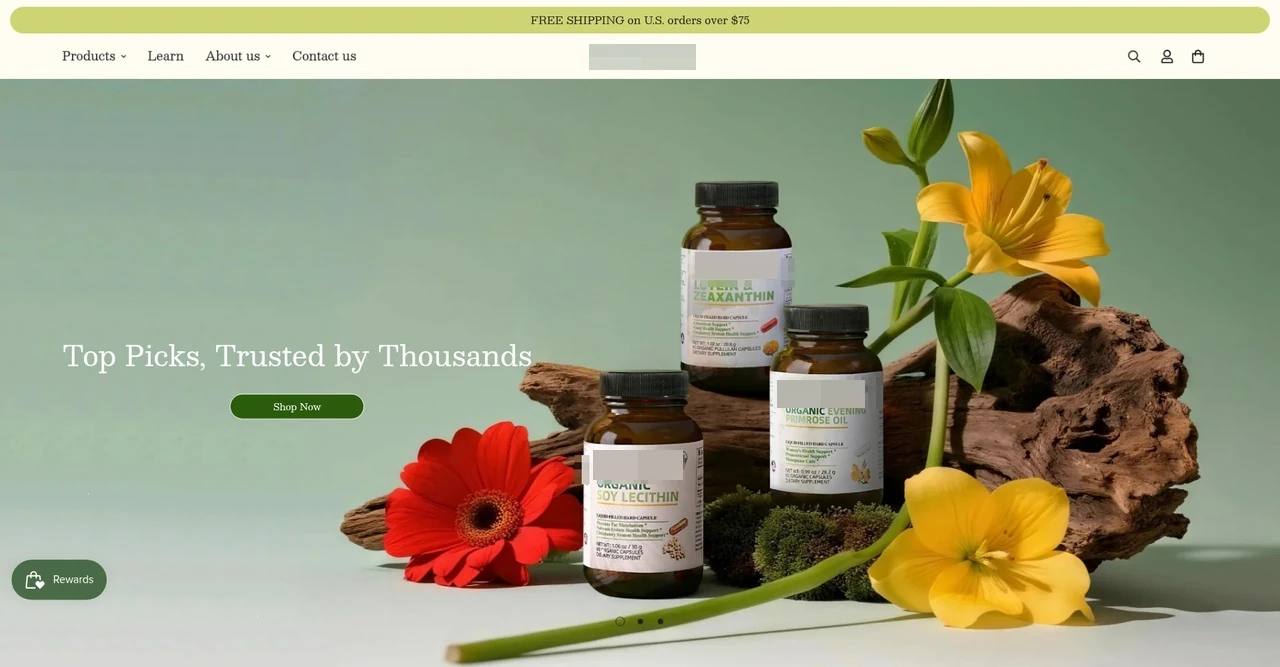
The homepage introduces the product range through a coordinated visual composition and navigation for products, educational content and brand information. A clear shopping entry connects the opening message with the product browsing journey.
The hero, navigation and shopping entry form a consistent introduction.
Product browsing and educational content have distinct entry points.
Project interface
02
Explain product characteristics through clear content
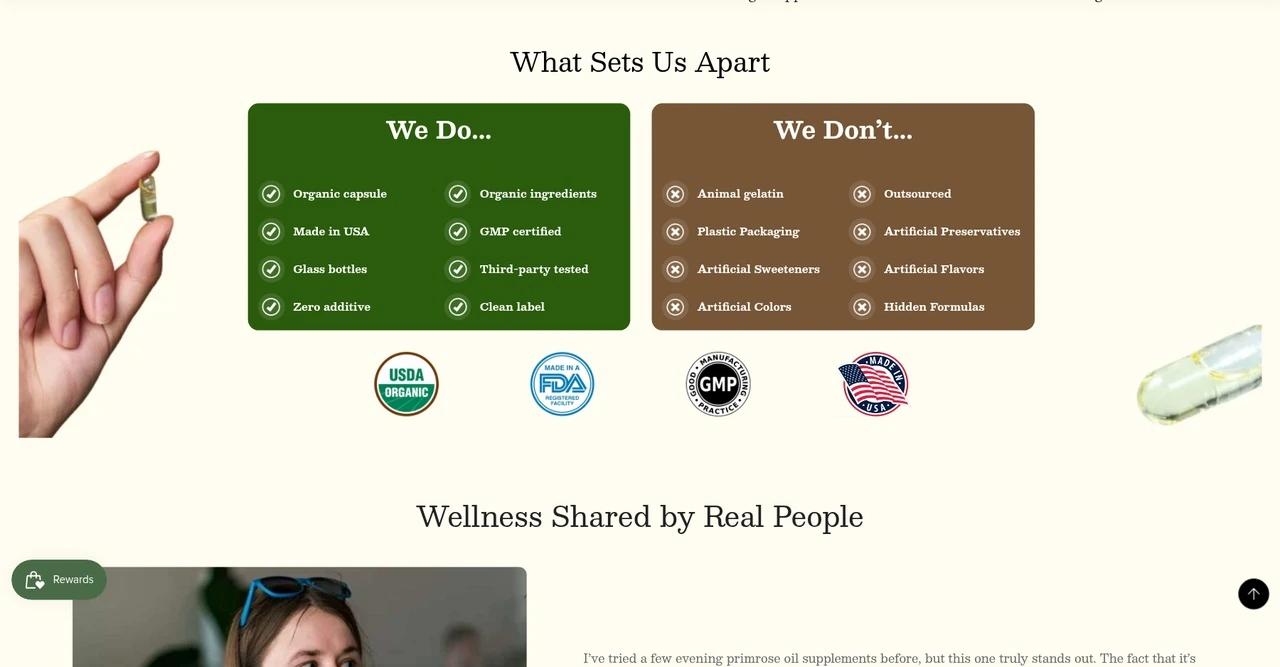
Comparison and content modules organize the brand’s product principles and quality information before visitors move into product selection. This structure connects with the rest of the site to support product research.
Organize product and quality information with comparison lists.
Connect brand content with product browsing.
Project interface
03
Support comparison and selection in the collection
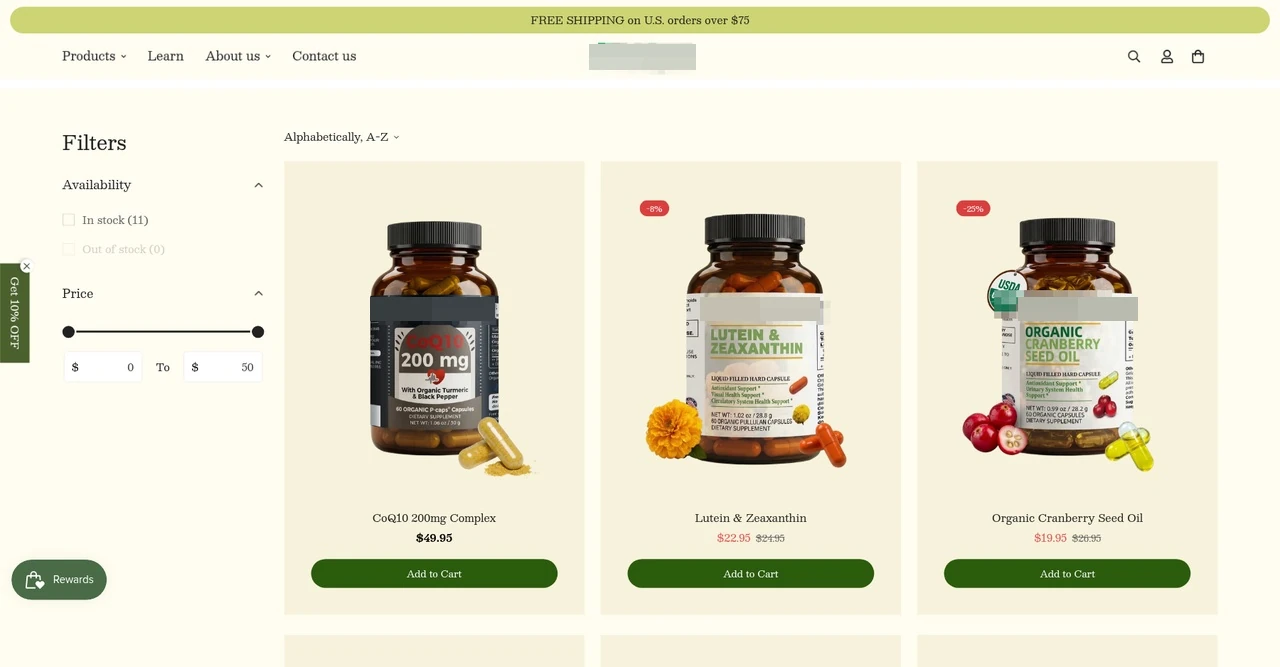
The collection combines availability and price filters with product cards showing imagery, names, prices and add-to-cart actions. Shoppers can narrow the range and compare products without losing the context of the collection.
Availability and price filters help narrow the selection.
Consistent cards connect product information with purchase actions.
Project interface
04
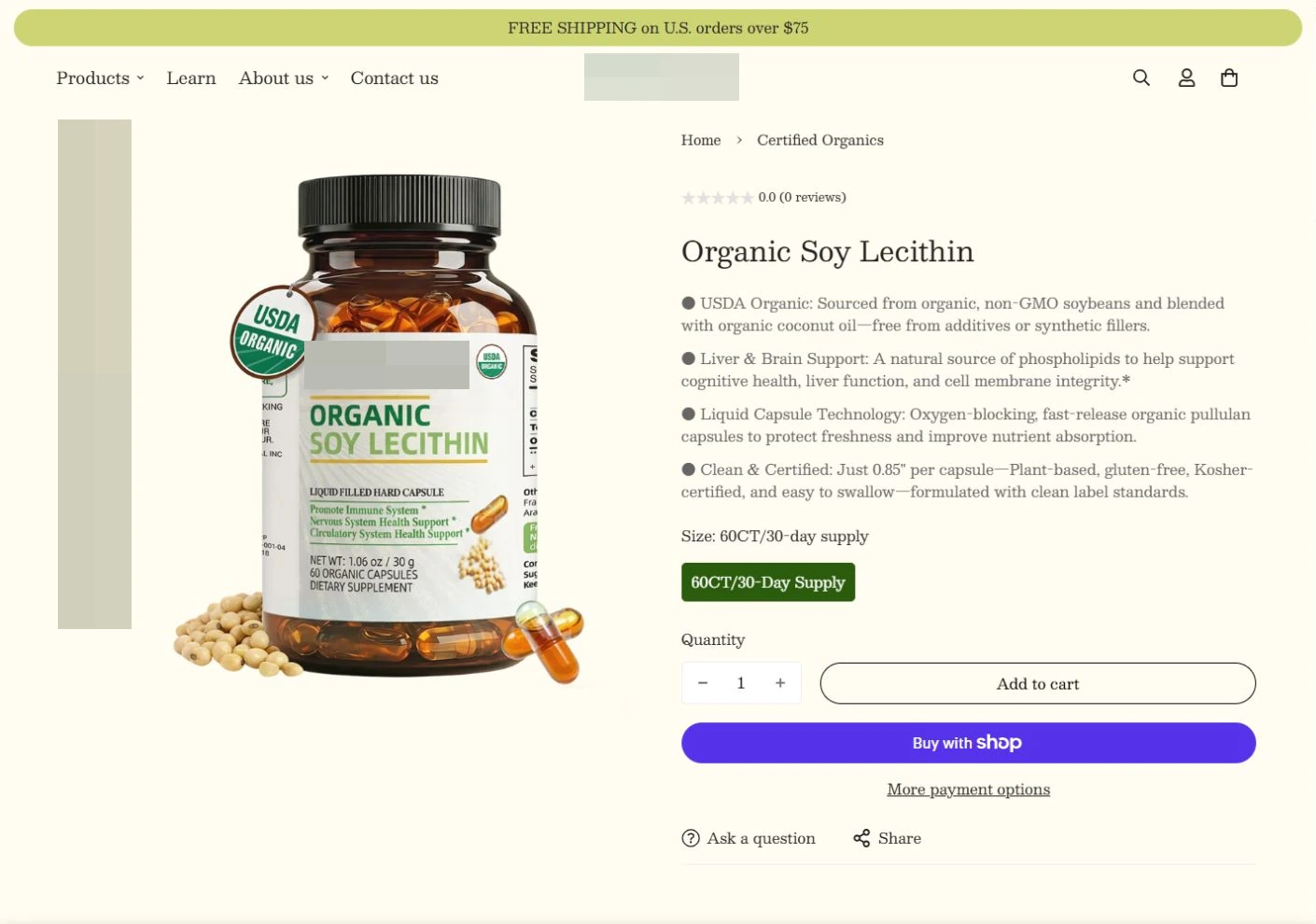
Move naturally from product information to purchasing
Descriptions, options and purchase controls appear within a connected product-page area. Visitors can read the information and continue selecting and buying, linking brand presentation with the Shopify purchasing flow.
Keep product information and purchase actions in the same context.
Use product options and purchase entry points to support selection.
Project interface
05
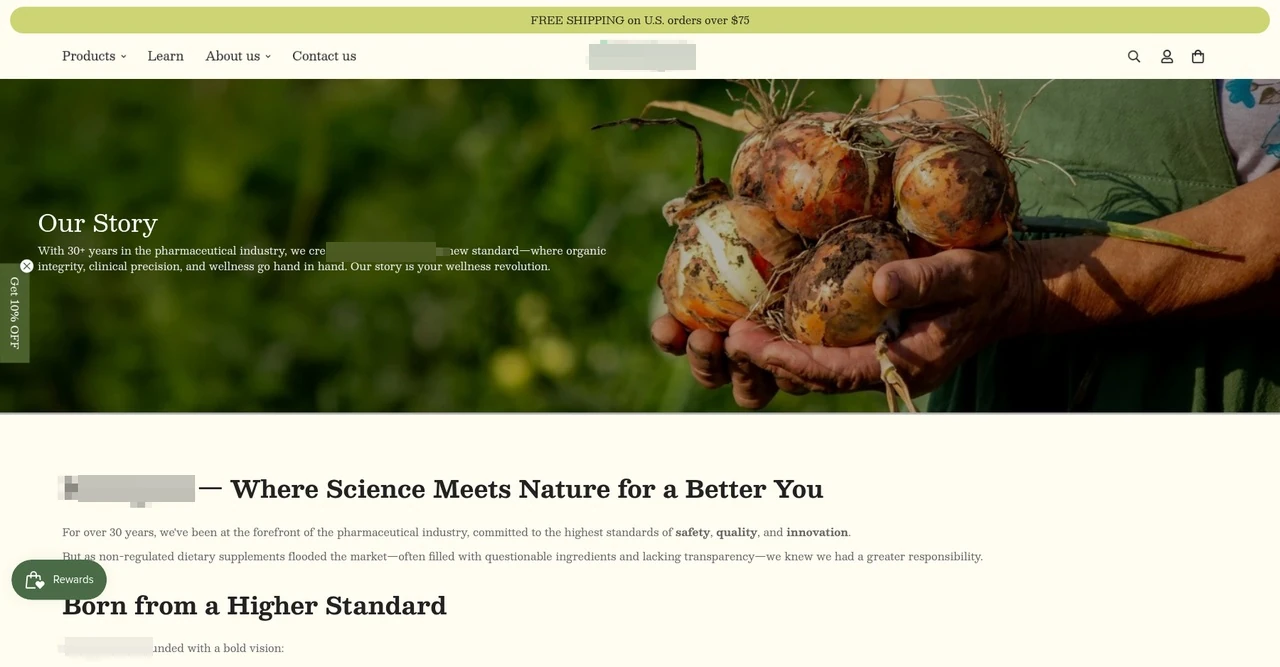
Connect brand information with the shopping experience
The brand story page combines an introductory visual, brand information and structured text within the same navigation and visual system as the store. Alongside collection and product pages, it supports visitors who want to understand the brand before shopping.
A dedicated content page provides a home for brand information.
Editorial and commerce pages share a consistent experience.
From understanding to choosing
Guide visitors through understanding, comparing and choosing products.
Understand the brand
Use the homepage's quality and brand philosophy sections to explain the product positioning.
Browse the catalog
Browse collections and use product information and filters to find suitable products.
Read details
View product features, specifications and purchasing instructions.
Make a selection
Confirm options, add the product to the cart and continue purchasing.
04Technical approach and workflows
Key decisions
Explain the product before asking visitors to buy
Connect quality information and product differences with clear product navigation.
Maintainable templates for daily operations
Turn recurring layouts into templates for future product and content updates.
Functional layers and information flow
Shared navigation and design conventions keep the Shopify theme consistent, while individual templates support brand information, product filtering and purchasing.
Content layer
The homepage introduces ingredients and quality, while the brand story page provides more background.
Give visitors the information they need to understand the products before they explore the catalog.
Template layer
Collections support filtering and sorting; product pages combine images, benefits, specifications and purchase options.
Reusable page templates support multiple products.
Store operations layer
Manage products and page content in the admin interface, with training to support handover.
Platform-provided purchase, payment and subscription features are distinguished from our store-development scope.
01
Content and product information
Organize product features and brand content
02
Shopify Page Templates
Home page, collections and product details
03
Purchasing and operations
Connect purchasing options with content management
A simplified workflow diagram showing responsibilities and information flow.
05Delivery and validation
Research and content planning
Use reference websites and category research to define the information architecture, brand presentation, product content and purchase journey.
Stage output Site structure and page scope
Theme and template development
Configure the theme and build responsive home, collection, product and content templates.
Stage output Working website pages
Content and conversion integration testing
Populate brand and product information, connecting quality details, specification choices and purchasing.
Stage output Complete path from content to purchase
Testing, training and delivery
Test pages and core interactions, train the team and hand over daily content management.
Stage output Launched store and admin handover
Validation checklist
Content structure
Verify how brand, quality and product information is organized and linked across pages.
Catalog and product details
Check collection filters, sorting, product cards and product details.
Purchase path
Test the connections between specifications, quantities and purchasing controls.
Operational handover
Check everyday content-management tasks during admin training.
06Deliverables and project value
Product information leads into purchasing
Product features, specifications and brand content have clear roles in the site and connect visitors to the relevant purchase controls.
One-time purchases and subscriptions together
The product page presents both choices, supported by website configuration and the shopping journey.
A practical operational handover
Theme and template development is accompanied by admin training for ongoing product and page updates.