This motorcycle accessories brand serves the North American aftermarket. Products in the same category can fit different models and model years, so shoppers need to establish compatibility as well as browse by appearance or part type.
The client wanted customers to start with their own vehicle, selecting make, model and year to find the relevant parts. The implementation required clear product-fitment relationships and consistent vehicle conditions across collection filtering and individual product checks.
We defined fitment rules and product markers, developed linked vehicle selectors, and integrated the relevant collection and product-page features. The delivery supports both finding candidate parts and reviewing an explicit fit or no-fit result before purchasing.
The challenges
Shared categories do not guarantee compatibility
Product categories alone do not establish motorcycle-part compatibility; vehicle details are required.
Vehicle selection fields depend on one another
Make, model and year choices depend on one another, and results must use the same vehicle criteria.
Fitment must be checked in listings and on product pages
Collections narrow the candidates; product pages provide a final compatibility check for the selected item.
02Our scope of work
Vehicle and product relationships
Organize the relationship between makes, models, years and parts, including field dependencies and matching rules. Configure product-fitment information so filtering and product checks use a consistent data basis.
DeliverableFitment relationships and product markers
Linked vehicle selectors
Develop successive vehicle-condition inputs and connect them with the filtering action. Check option dependencies and page state when customers change their vehicle details.
DeliverableVehicle-condition entry point
Collection filtering and product checks
Apply vehicle conditions to the product list to show candidate parts. Integrate fitment checks and matching or non-matching feedback within the product page.
DeliverableFiltered results and fitment feedback
Data verification and launch testing
Check results against the actual fitment relationships for different vehicle conditions. Test selectors, collections and product interactions alongside the agreed page configuration before launch acceptance.
DeliverableVerified custom feature
03Pages, features and journeys
Project interface
01
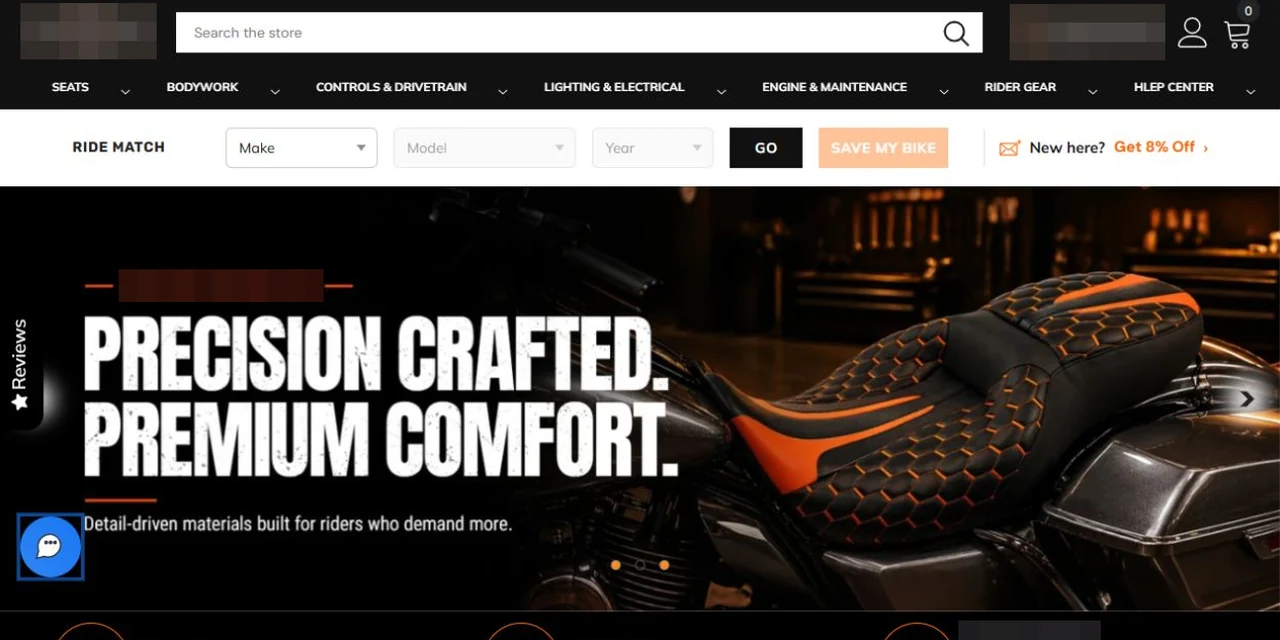
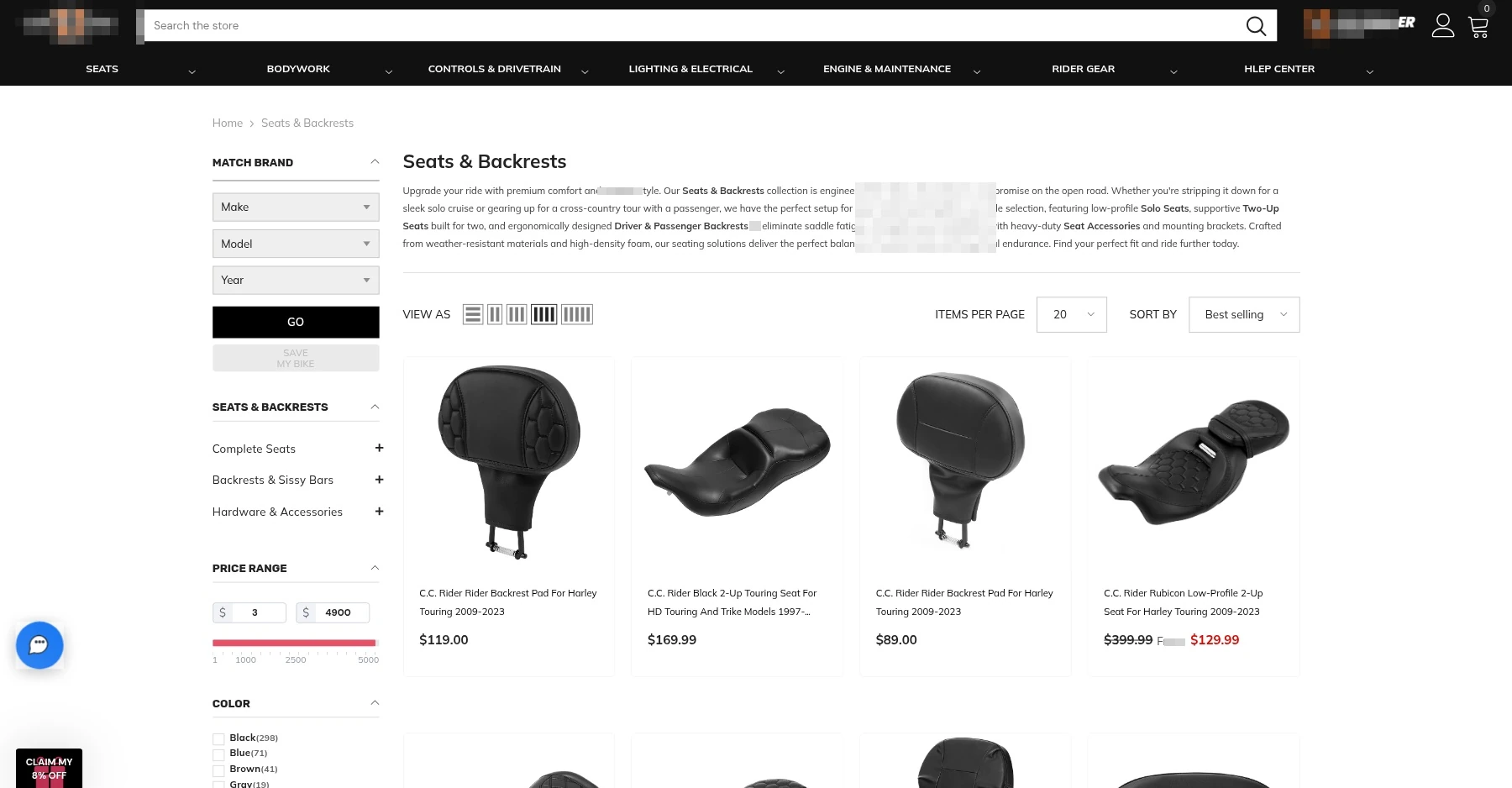
Select a vehicle before browsing compatible parts
The collection connects vehicle controls with the product list. Shoppers enter a make, model and year, then continue through the corresponding candidates as part of the parts-discovery task.
Use vehicle details to define the filtered product selection.
Begin browsing from the shopper’s own motorcycle.
Project interface
02
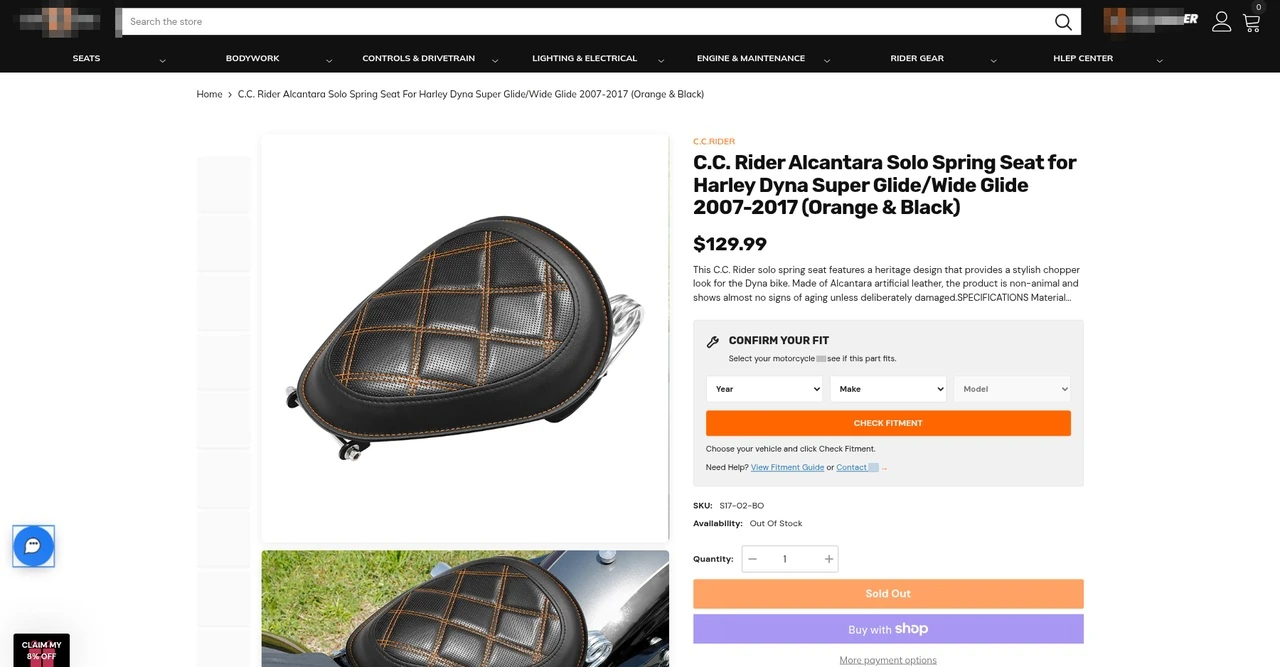
Check compatibility on the product page
A dedicated fitment area helps shoppers check their vehicle against the current item. Collection filtering and product-level results use the same matching relationships, connecting discovery with final confirmation.
Review fitment results for the specific product.
Use consistent matching rules across collections and product details.
Project interface
03
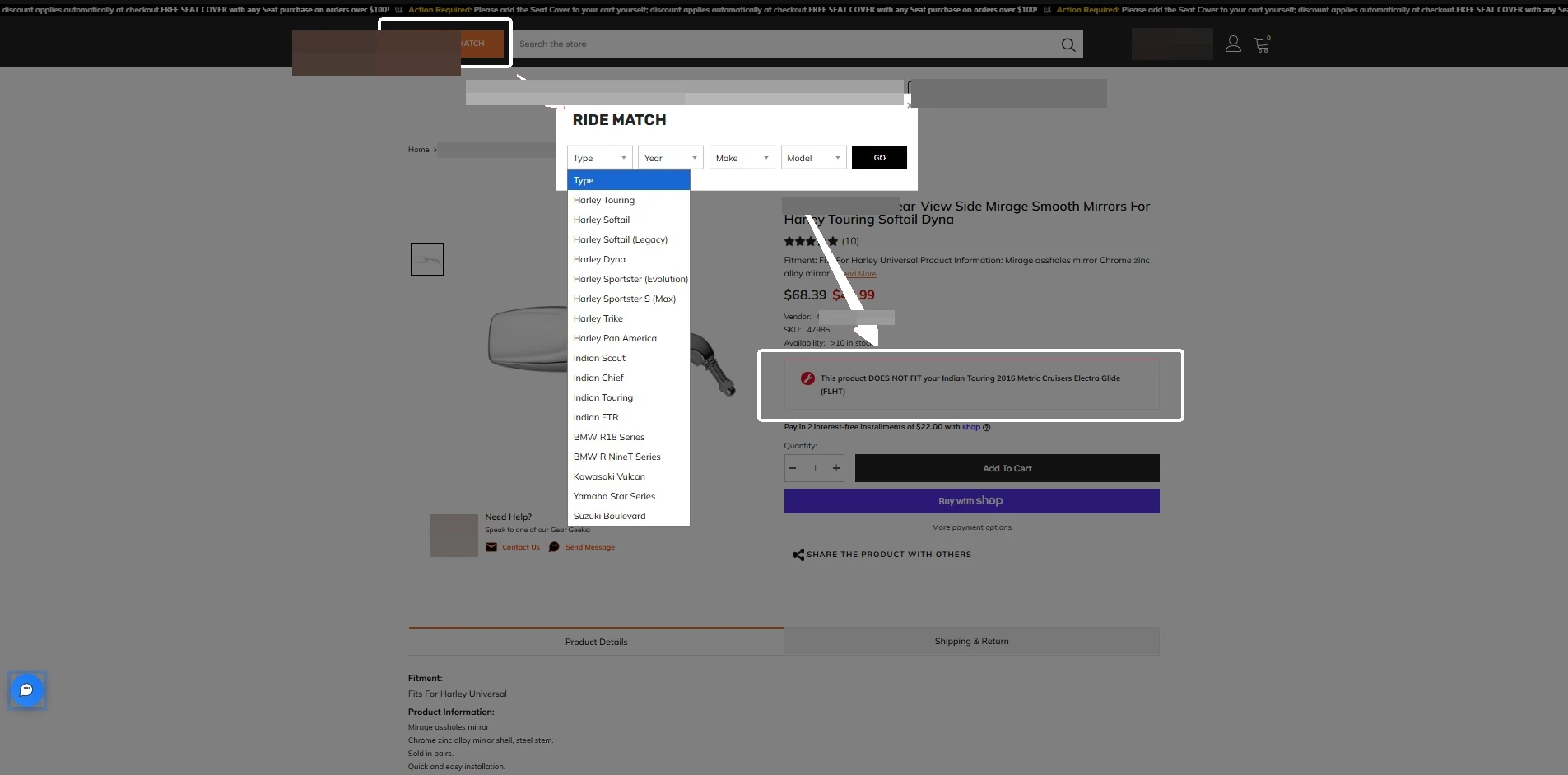
Make an incompatible selection explicit
After the shopper changes the vehicle criteria, the product page presents the corresponding fitment result. This view shows the vehicle selector together with an incompatibility message, connecting the selection to a clear, product-specific check before purchase.
Vehicle criteria are organized by type, year, make and model.
The purchase area clearly flags an incompatible selection.
Find available accessories for your vehicle
An example parts-search journey shows how collection and product checks work together.
Select vehicle
Enter vehicle details and complete the dependent selections.
Browse matching parts
Review the matching parts in the filtered collection.
Open a product
Read the selected part's specifications and purchase information.
Confirm fitment
Check whether the current product fits the selected vehicle on the product page.
04Technical approach and workflows
Key decisions
Consistent vehicle criteria across pages
Use the same vehicle information for selectors, collection results and product checks.
Separate collection filtering from product fitment checks
The collection narrows the options; the product page verifies the selected part.
Functional layers and information flow
Use the same vehicle criteria and fitment data for both collection filtering and product checks.
Vehicle criteria input
Select the available make, model and year in sequence.
Earlier choices determine later options, preserving the search context.
Vehicle-to-product mapping
Identify matching parts using the confirmed vehicle-to-product mappings.
Filter using fitment data rather than product-title keyword matching alone.
Result presentation
Collections show matching products; product pages show the selected item's compatibility result.
Support broad product selection and individual fitment checks at the appropriate stages.
01
Vehicle details
Brand, model and year
02
Match against fitment data
Products matching the selected vehicle
03
List and product page
Show results and product compatibility
A simplified workflow diagram showing responsibilities and information flow.
05Delivery and validation
Define vehicle data and fitment
Confirm vehicle fields, selector dependencies, fitment data and query rules.
Stage output Vehicle criteria and fitment mappings
Fitment filtering and compatibility checks
Build the collection vehicle selector and filtering logic, then integrate product-page fitment checks.
Stage output Collection and product fitment checks
Results and page integration testing
Validate collection and product results against fitment data, then configure the agreed promotion.
Stage output Matching results and business configuration
Scenario testing and launch
Test vehicle combinations, query states and interactions, resolve issues and launch.
Stage output Validated fitment filtering
Validation checklist
Dependent selections
When vehicle details change, verify dependent options and the current selection state.
Result accuracy
Check collection results against the agreed fitment data.
Product fitment check
Check the fitment lookup and status messages on the product page.
Page coordination
Verify collection filters, product interactions and the agreed promotional settings.
06Deliverables and project value
Find parts from vehicle details
Customers narrow the catalog by make, model and year, bringing fitment data into product discovery.
Consistent collection and product checks
Candidate filtering and individual compatibility checks use the same vehicle conditions and product relationships.
Clear feedback before purchasing
The product page presents fit or no-fit results to support compatibility decisions for the current item.