Custom options · Order data · Loading optimization
Shopify · Project preview
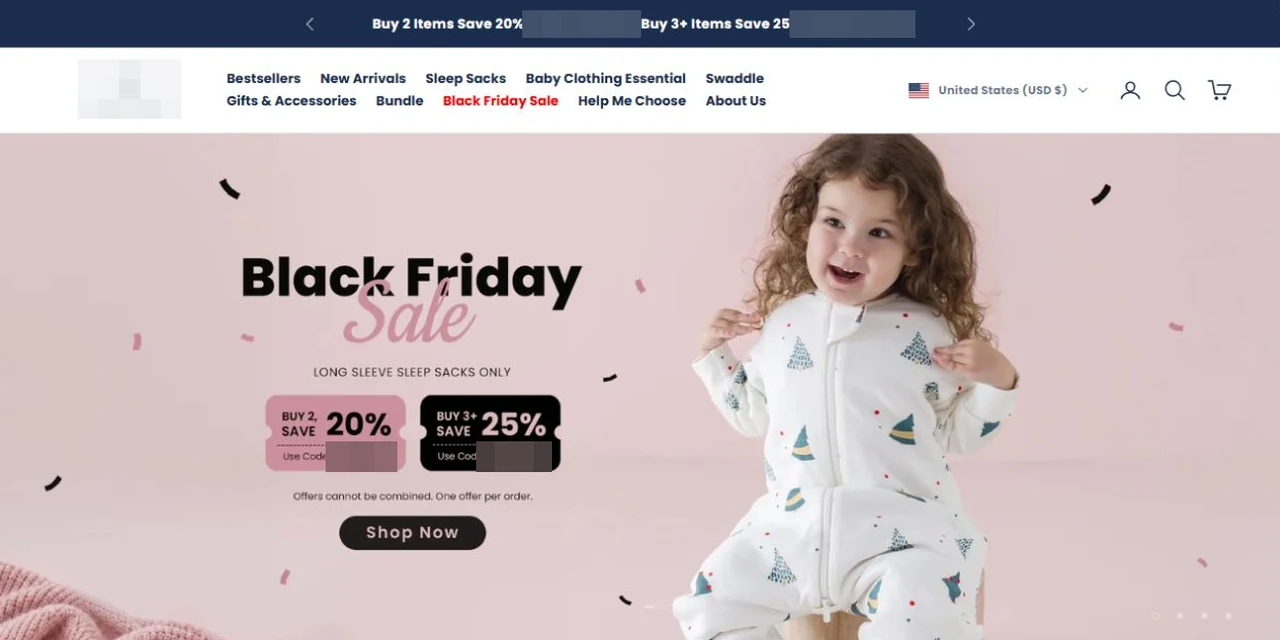
Brand homepage · Client details anonymized
01Background and requirements
This babywear brand sells sleepwear and clothing across several markets and wanted to offer optional embroidery during normal product purchasing. Customers need to choose whether to personalize an item, enter text, select a font and thread color, and understand the additional fee before ordering.
The implementation connects standard product variants with production requirements. Regular and personalized purchases need clear journeys, and the information collected in the embroidery panel must pass into the cart and order. The feature also needs to work across regional stores and desktop and mobile devices.
The client also requested performance improvements for core pages. Home, collection and related content pages contain substantial imagery and scripts, requiring separate desktop and mobile checks and adjustments to resource size and loading behavior.
We developed embroidery configuration, additional pricing, order parameters and regional adaptation, and optimized image and script loading on core pages. Functional journeys and loading behavior are checked separately, with diagnostic and retest records supporting the performance work.
The challenges
Customization requires production details beyond standard variants
Collect text, font and thread color alongside standard product variants to specify the embroidery.
Confirm customization and pricing together
Show the embroidery surcharge clearly and connect the selected options to the purchase controls.
Customization details must reach fulfillment
Customization details must be included in the order for production checks, rather than remaining only in the sidebar.
02Our scope of work
Embroidery rules and production data
Define when optional embroidery applies, its fee and the required text, font and thread-color information. Establish how these fields relate to standard sizes and colors and what needs to remain in the order.
DeliverablePersonalization rules and production fields
Configuration interface and fees
Develop the product-page entry point and side panel for text, font and color choices. Connect the embroidery selection with its fee so customers can review personalization and additional pricing alongside the product.
Pass embroidery details into the order and check add-to-cart data against production needs. Adapt the feature across markets and test selection, removal, pricing and ordering on desktop and mobile.
DeliverableProduction-ready order details
Image and script loading improvements
Diagnose home, collection and other core pages and record loading behavior across devices. Optimize large images, adjust image and script loading, and retest performance scores, content rendering and blocking behavior.
DeliverableLoading changes and retest records
Regression testing and delivery
Check regular purchasing, embroidery purchasing and page loading separately. Verify that product options and key actions remain complete after performance changes, resolve review feedback and deliver the tested features.
DeliverableSeparate functional and performance validation
03Pages, features and journeys
Project interface
01
Make personalization discoverable
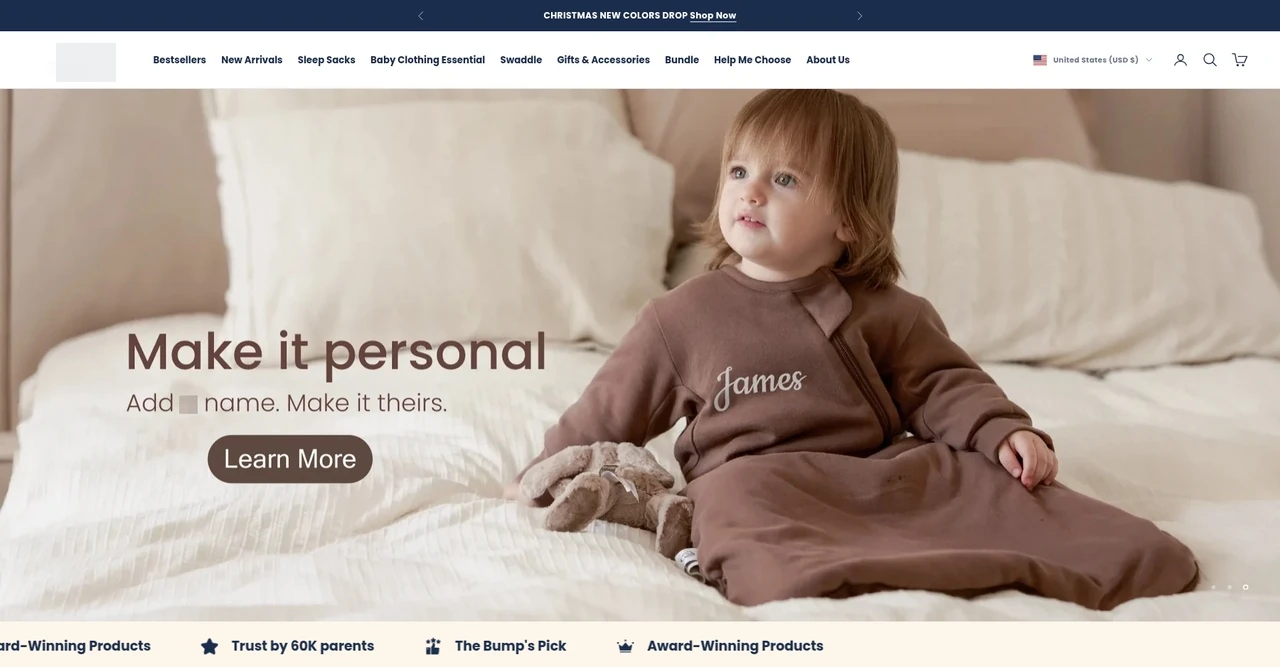
A personalized product visual and a dedicated entry introduce the embroidery service before shoppers reach the product configuration. This view provides context for the feature entry and its connection to the product-page embroidery options delivered in the project.
The finished-product visual explains the purpose of personalization.
The entry leads shoppers toward product customization.
Project interface
02
Place personalization within product selection
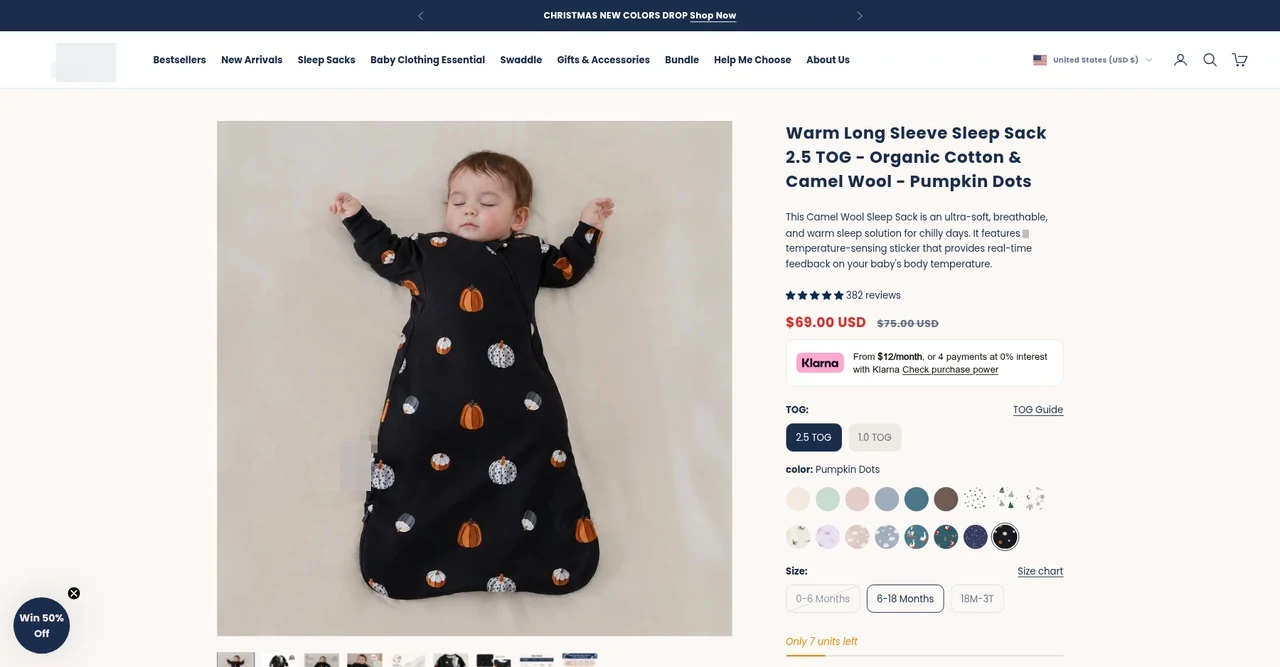
The product page retains imagery, colors, sizes and purchase information as the context for embroidery. Shoppers can establish the product specification before moving into personalization, keeping the custom details connected to the item they intend to buy.
Standard options and embroidery relate to the same product.
Personalization continues within the current purchase journey.
Project interface
03
Configure embroidery from the product page
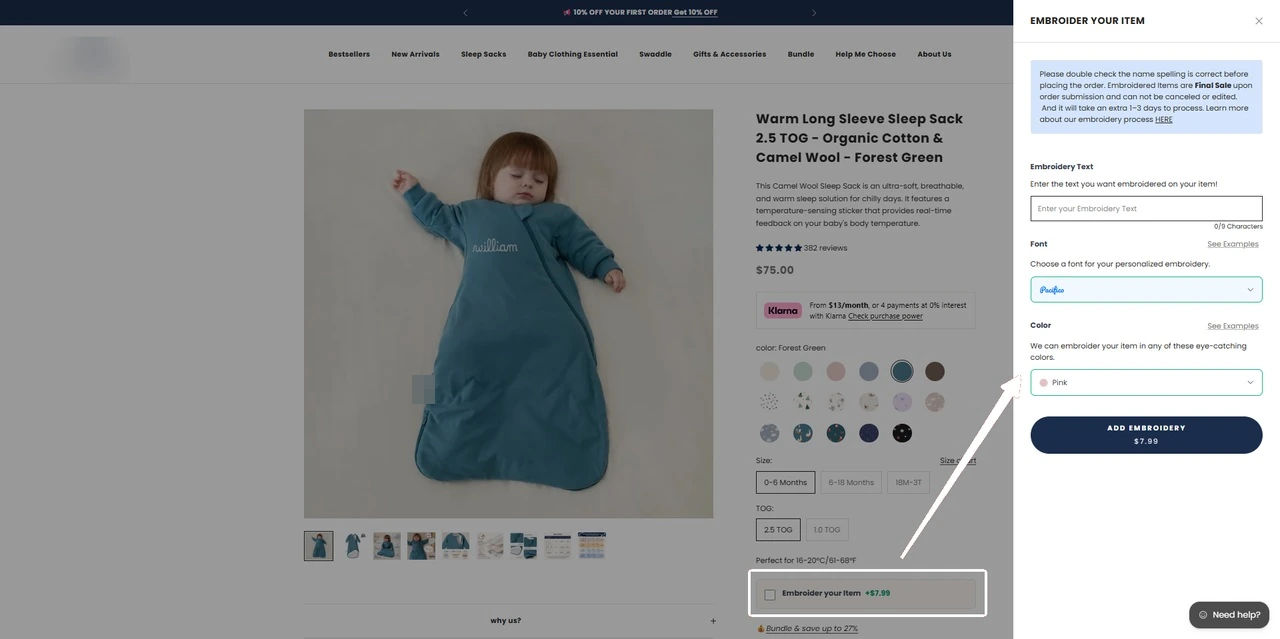
Customers open the sidebar from the purchase area and enter the details for their embroidery request. The configurator stays connected with the product page as a continuous step in choosing the garment.
Text, font and thread-color choices sit together in the sidebar, allowing customers to complete one coherent embroidery request. Selected details and applicable charges connect with purchasing and the order record.
Connect the product-page entry point with the sidebar.
Return to purchasing the same product after configuration.
Combine text, font and thread color into production details.
Link confirmed selections with pricing and order handoff.
Project interface
04
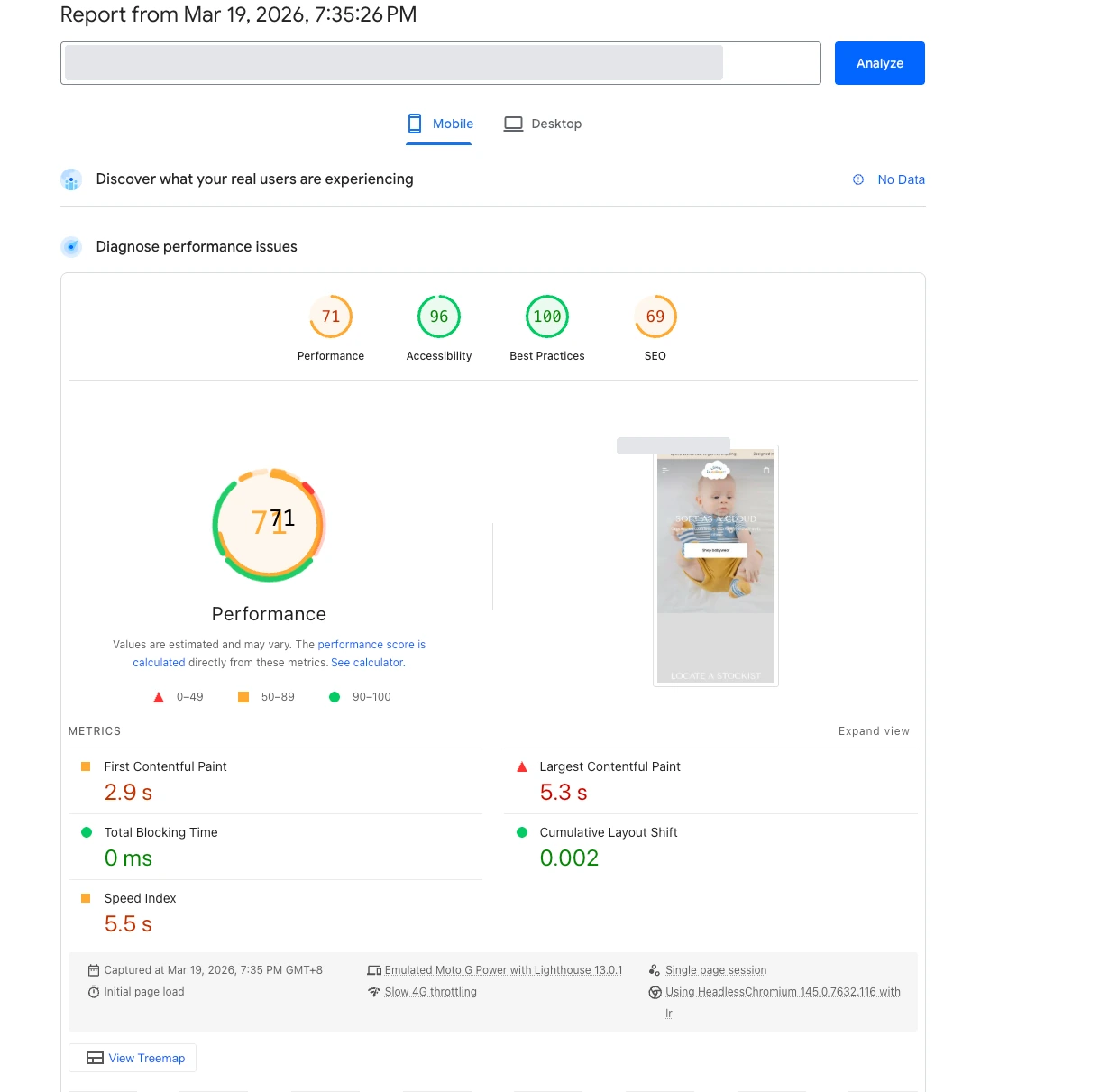
Record the mobile performance retest
The mobile report records the performance score, Largest Contentful Paint and Total Blocking Time after image and script-loading changes. This is a single laboratory test of the project’s preview environment.
Review mobile content rendering and script blocking.
The record describes the tested page version.
Project interface
05
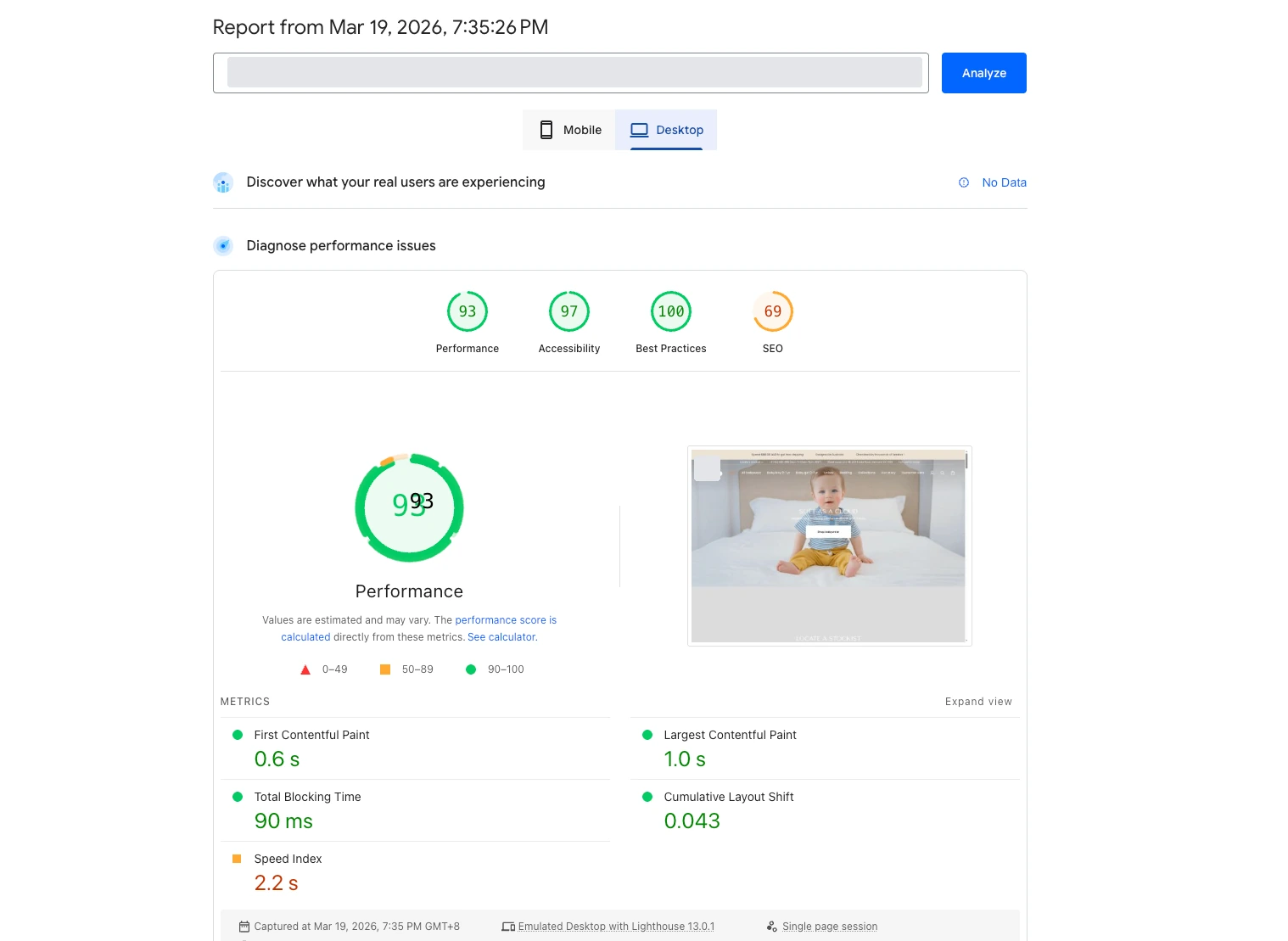
Check desktop loading separately
A separate desktop record documents loading and performance metrics alongside the mobile checks. This laboratory test also uses the preview environment and describes the page under the recorded test conditions.
Desktop and mobile results are recorded separately.
Loading metrics and product functions are verified independently.
From embroidery requirements to order details
Follow customization from the product-page entry to production specifications.
Select product
Choose the product style and standard variant first.
Fill in embroidery
Open the customization area, enter text and select font and line color.
Confirm additional items
Review customization details and surcharges before returning to purchasing.
Retain order specifications
Personalization details accompany the purchase record for production checks.
04Technical approach and workflows
Key decisions
Customize within the purchase journey
Collect production specifications within the product-page configurator for confirmation before ordering.
Keep specifications with the order
Carry text, font, thread color and surcharges into the purchase flow for production checks.
Functional layers and information flow
Feature development and performance work are implemented separately. Embroidery connects customer input, fees and order data; loading improvements address core-page images and scripts, followed by performance and purchase-function checks.
Products and embroidery
Standard products retain sizes and colors, while optional personalization collects text, fonts and thread colors.
Pricing and production data
The embroidery choice has a corresponding fee, and confirmed specifications remain attached to the ordered product for production checks.
Resource loading and retesting
Image size and image and script loading are optimized, with separate desktop and mobile records and product-interaction regression checks.
01
Purchase and personalization
Choose a product and optional embroidery
02
Fees and order handling
Connect the additional price and production data
03
Delivery and experience checks
Verify the order and retest page loading
A simplified workflow diagram showing responsibilities and information flow.
05Delivery and validation
Requirements and page diagnostics
Define embroidery fields, fees and markets and record loading behavior across devices.
Stage deliverableFeature rules and performance baseline
Feature and loading implementation
Develop the panel, pricing and order data alongside image and script-loading changes.
Stage deliverableFeature build and resource changes
Regional purchase integration
Verify regular and embroidered purchases, fees and order details across markets and devices.
Stage deliverableCross-device purchase and order journey
Retests, regression checks and delivery
Record performance results separately, retest product features after optimization and complete acceptance.
Stage deliverableFunctional and performance verification
Validation checklist
Optional embroidery
Test adding, changing and removing personalization.
Fees and orders
Verify additional pricing and the text, font and color stored in the order.
Markets and devices
Check presentation and actions across regional stores, desktop and mobile.
Loading and regression
Retest loading after resource changes and check key purchase interactions.
06Deliverables and project value
Production requirements stay with the order
Text, font and thread color are collected during purchasing and passed on for subsequent production.
Optional personalization within purchasing
Embroidery is integrated as an additional service, with corresponding selections, fees and order records.
Loading improvements for core pages
Image and script changes are supported by desktop and mobile retest records for continued performance review.