A headless Shopify website for Australian project buyers, connecting product discovery, specification review and project inquiries while supporting future development by the client’s team.
ORWES supplies smart toilets, other bathroom products and related building materials to the Australian market. Architects, property developers and interior designers typically arrive with a project in mind: they need to find the right category, check dimensions and configurations, and request a quote for the quantities required. The website therefore needs to support product selection and project inquiries as well as introduce the brand.
The client wanted to launch a standalone website promptly while retaining the ability to adjust pages and extend features through its own technical team. The approach needed to address the immediate launch, ongoing content management and future development, rather than deliver a fixed set of presentation pages alone.
We organized the site around finding a product, reviewing specifications, selecting configurations and quantities, and making a project inquiry. Our work covered page design, a separate storefront frontend and integration testing. Search, categories, product details and inquiry entry points each support a distinct part of the procurement journey.
The headless approach separates the storefront experience from product and content management. The plan also considers future AI-search optimization and integration with the client’s own AI capabilities. The delivery described here covers the website, procurement journey and launch acceptance.
The challenges
Help professional buyers find the right products
The catalog needed to accommodate multiple categories and provide product and specification information for professional selection.
Connect product browsing with project inquiries
After reviewing products, visitors need a clear next step for contacting the business.
Frontend control and maintainable content
The frontend needed independent design and development while connecting with product and content management for future updates.
02Our scope of work
Procurement journeys and website planning
Map product search, specification comparison and project inquiries across the home, category, product and inquiry pages. Define the headless approach, frontend and management responsibilities, page scope and implementation sequence around the client team’s development needs.
DeliverableProcurement journey and headless plan
Page and interaction design
Design the core pages around the brand, bathroom categories and product selection. Organize specifications, configurations, quantities and project-quote entry points, refining information hierarchy and key interactions through design reviews.
DeliverableBrand and procurement page designs
Independent storefront development
Implement the approved designs as a separate storefront frontend, covering navigation, category browsing, product information and interactions. Connect the product and content presentation and adapt layouts for desktop and mobile devices.
DeliverableResponsive storefront frontend
Product selection and inquiry integration
Check the journey from search and categories into product details, including specifications, configurations and quantities. Test the project-quote and inquiry paths so buyers can continue from product research to a specific procurement request.
DeliverableConnected product-to-inquiry journey
Testing and launch
Review pages, links and key actions against the designs and procurement scenarios. Refine cross-device behavior, complete launch testing and deliver the website for acceptance.
DeliverableTested website release
03Pages, features and journeys
Project interface
01
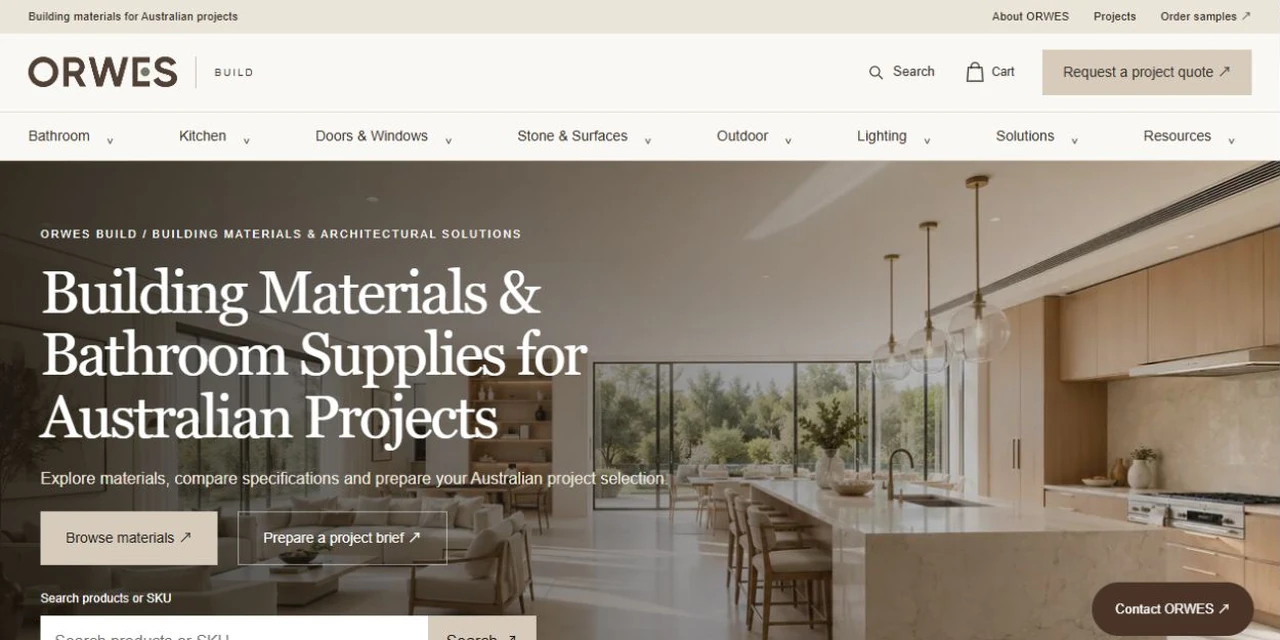
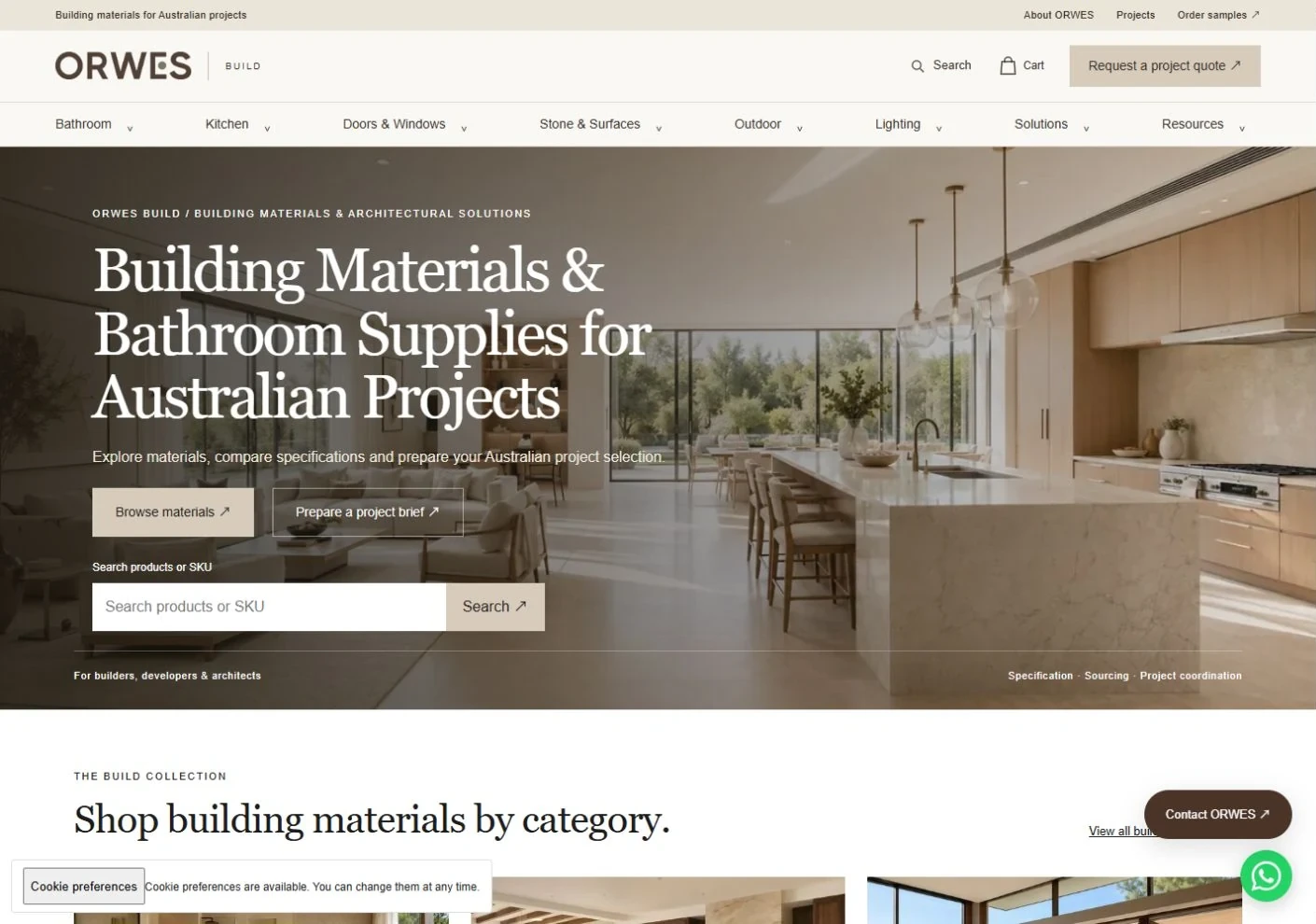
Move from the homepage into products and projects
Brand content, product browsing and project inquiry entry points give professional visitors a clear next step. They can continue exploring categories and products or begin a conversation around a specific project.
Provide distinct entry points for products and project discussions.
Connect the brand introduction with selection and inquiry journeys.
Project interface
02
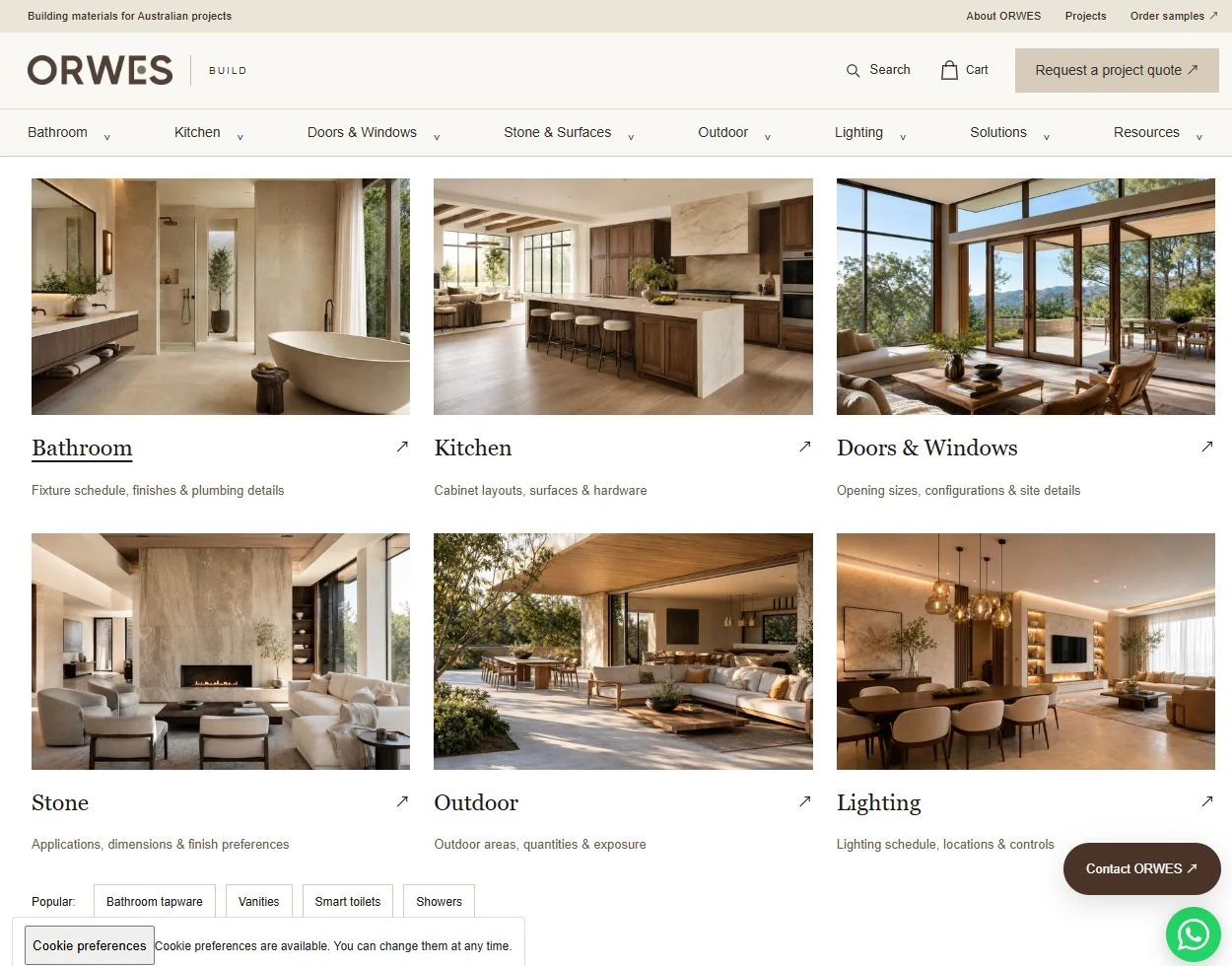
Organize material selection around clear categories
The homepage brings bathroom, kitchen, doors and windows, and other material categories together with contextual images and short descriptions. Buyers can identify the right category before exploring individual products, with a consistent route from the main navigation into the catalogue.
Six category links create a clear browsing hierarchy.
Short descriptions introduce the information relevant to each material category.
Project interface
03
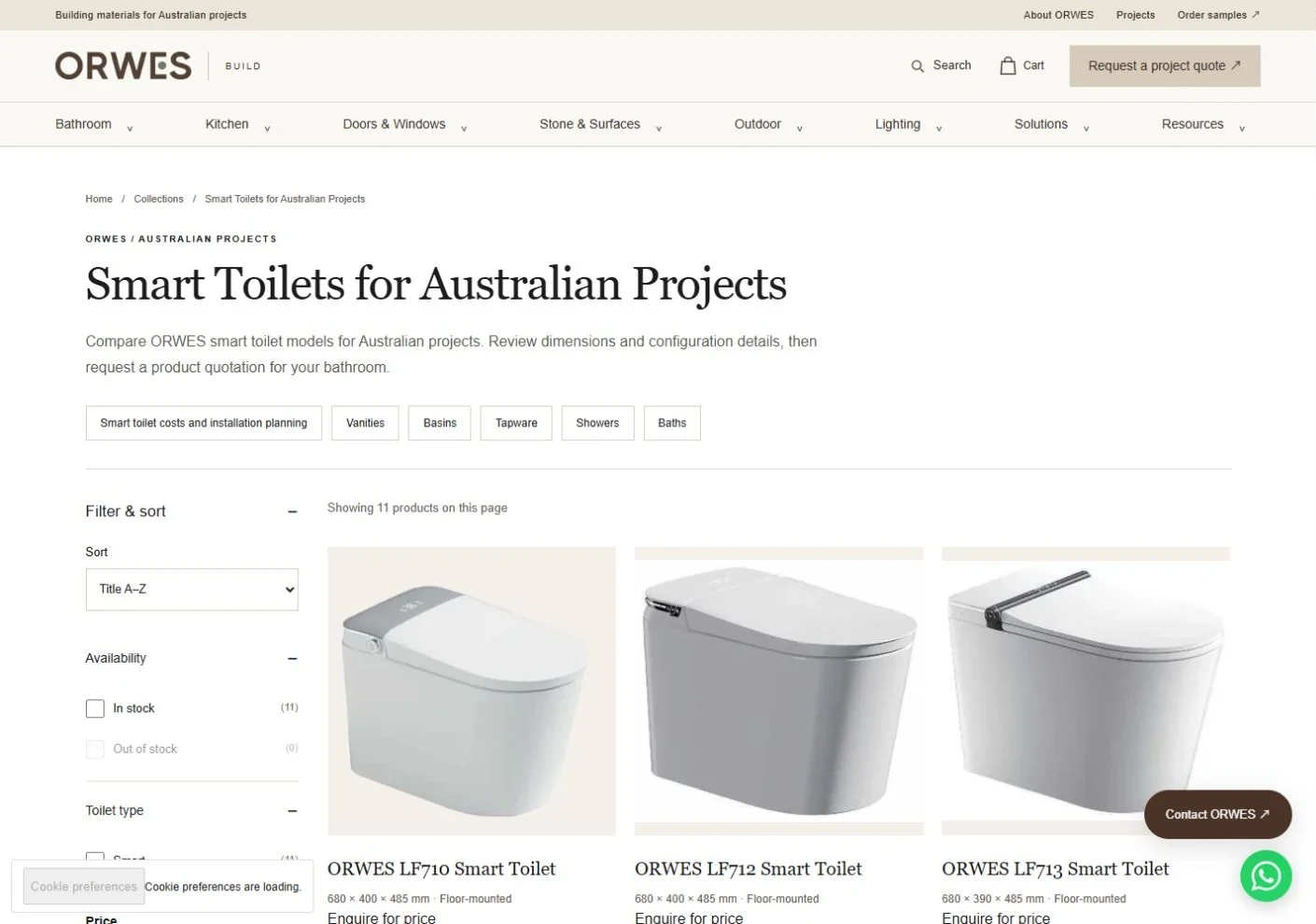
Browse categories to identify suitable products
Collection pages group related products into browsable cards. Buyers can move from a category into details and explore the product information relevant to their projects.
Browse related products together.
Connect catalog entries with more detailed product pages.
Project interface
04
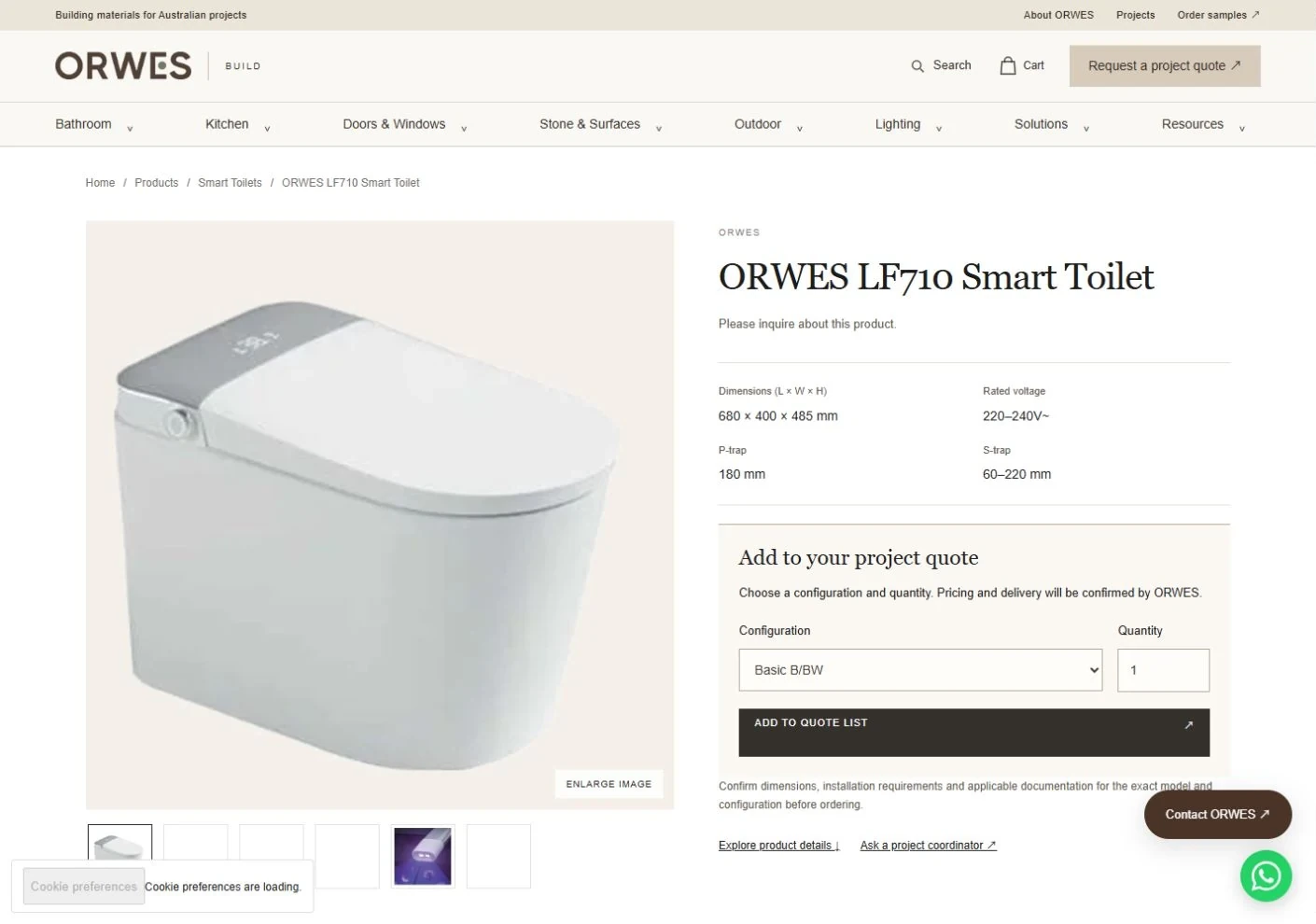
Understand products and specifications
Product imagery, descriptions and specifications share a continuous reading path, helping buyers assess a product against project requirements. The content provides concrete context for selection and follow-up discussions.
Combine imagery and specifications to explain the product.
Use product details as context for procurement conversations.
Project interface
05
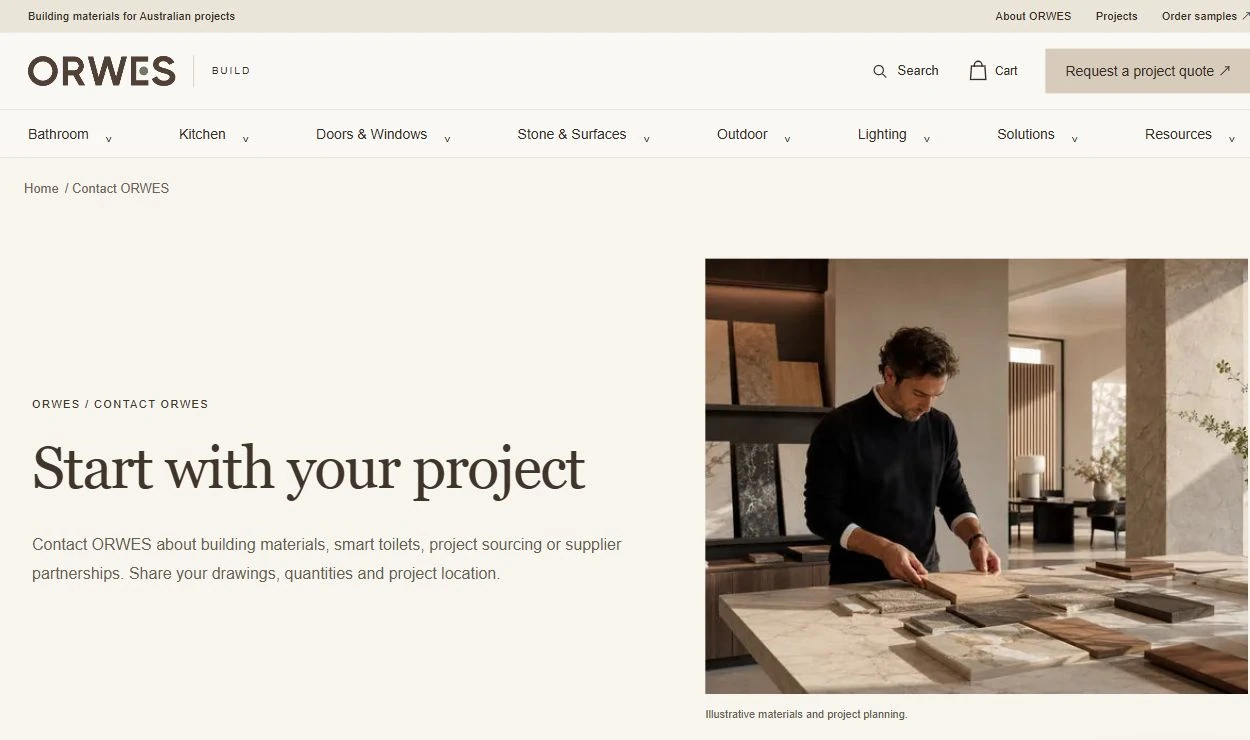
Connect product research with project inquiries
The inquiry page brings contact routes and requirement guidance together after product browsing. Visitors can start a conversation around their products and projects, with the business team following up on procurement details.
Connect product content with inquiry entry points.
Carry project requirements into business follow-up.
A project buyer's journey through the website
An example buyer journey from category research to a project discussion.
Choose a category
Open a product collection from the homepage and assess whether it covers the project's needs.
Narrow the options
Browse product listings and use filters to identify models to explore in more detail.
Review product details
Review images, specifications and supporting details to identify product or project questions.
Make an inquiry
Use the inquiry route to pass requirements to the business team for follow-up.
04Technical approach and workflows
Key decisions
Separate presentation from commerce functions
A separate frontend presents the brand and purchasing experience, with product and content management handled in the admin system.
Give inquiries product context
Place contact options near product information so visitors can discuss a specific product or project.
Functional layers and information flow
The headless setup separates brand presentation, product/content management and inquiry capture. The following diagram explains their responsibilities.
Presentation layer
A separate frontend presents home, catalog, product and content pages.
Design pages and interactions around B2B purchasing tasks rather than forcing all information into one product template.
Product and content layer
Organize product classification, product information, specifications and related page content.
Use consistent product information across collections and detail pages.
Inquiry and business layer
Capture requirements through project inquiry pages for business-team follow-up.
Connect product research to purchasing inquiries; the business team handles quotes and project progression.
01
Products and content
Organize categories, specifications and page assets
02
Headless frontend
Browsing, product research and inquiry routes
03
Project consultation
The sales team follows up on specific procurement requirements
The professional purchasing journey connects product information, website presentation and inquiry follow-up.
05Delivery and validation
Requirements discovery and solution approval
Confirm the audience, product content, page scope and frontend requirements, then agree the headless approach.
Stage output Confirm scope and technical approach
Sitewide design and review
Turn the homepage, catalog, details and inquiry journey into implementation-ready designs, incorporating review feedback.
Stage output Confirm key pages and interactions
Development and workflow integration testing
Build frontend pages and components, connect product content, and test the full browsing and inquiry journey.
Stage output Deliver a working website for review
Testing and launch acceptance
Check layouts, links, core actions and content across devices, then resolve review and testing feedback before handover.
Stage output Launch and sign-off
Validation checklist
Product browsing
Confirm that home, collection and product pages connect correctly and display consistent product information.
Inquiry journey
Test inquiry routes and pages to ensure visitors can communicate product or project requirements.
Design across devices
Check layouts, imagery, text and interactions against the approved designs on mobile and desktop.
Launch content
Check navigation, page links and required information, then complete workflow tests and launch acceptance.
06Deliverables and project value
Information organized for project buyers
Home, category and product pages connect specifications and configurations with the next step in the procurement journey.
Product selection leads into inquiries
Buyers can carry product and quantity requirements into project discussions, giving the sales conversation a clear product context.
A foundation for continued development
The headless approach supports subsequent page changes, feature development and content maintenance by the client’s technical team.