Theme and brand content
Organized the homepage around everyday routines, featured products, sets and editorial content so shoppers can discover products by category or by use.
DeliverableHomepage and editorial content
 SHOPIFYPARTNER
CASE 001 Beauty & Personal Care
A beauty storefront that turns editorial content into a shopping path, from discovering products by routine to comparing formulas and choosing a size.
Explore the design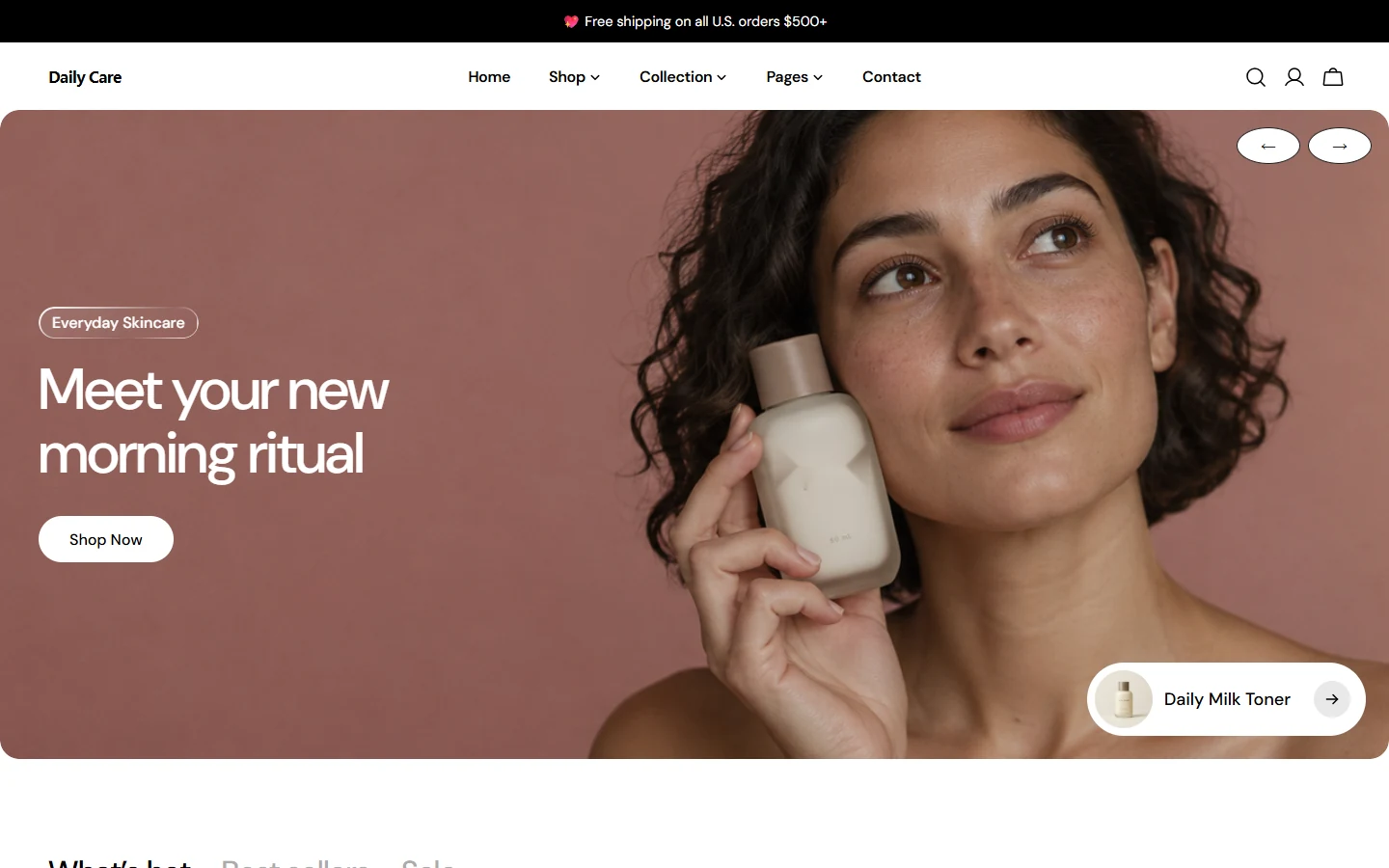
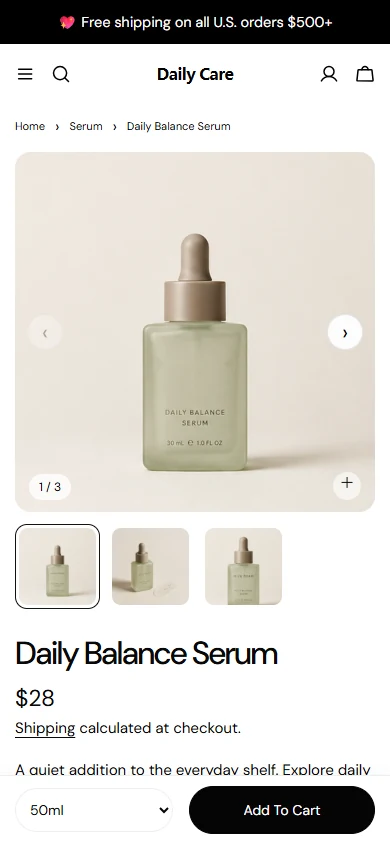
Beauty shoppers can arrive with a category in mind or with a routine they want to put together. We designed an entry point for each: direct access to categories for the first group, and routine-led recommendations for the second. Both paths lead to the same product details and buying controls.
Organized the homepage around everyday routines, featured products, sets and editorial content so shoppers can discover products by category or by use.
Added search, product type, availability and sorting controls. Consistent product cards make the images, names and sample prices easy to compare.
Put photos, size options, price and quantity at the top of the product page, with usage, ingredients and comparisons below. A local cart demonstrates the add-to-cart flow.
See how the same design carries from homepage navigation to product details on desktop and mobile.
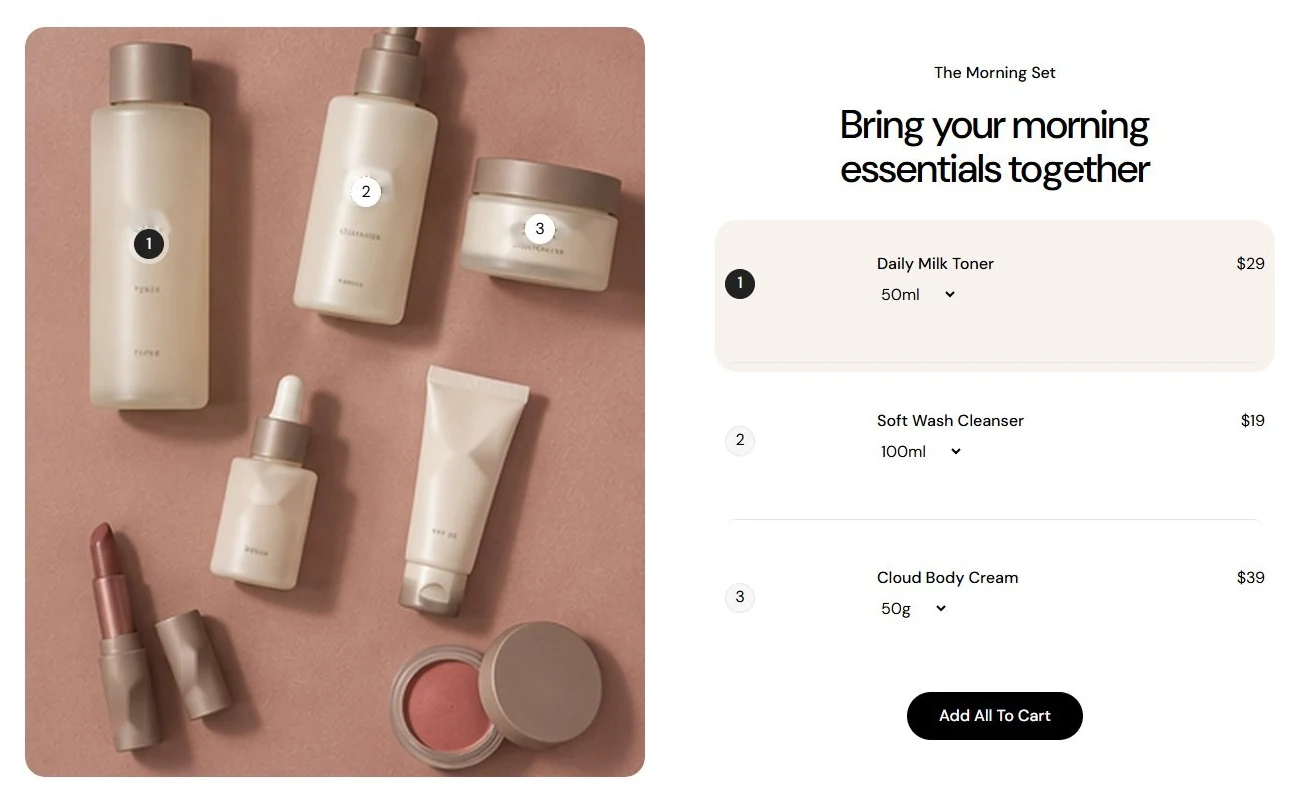
Shoppers who know what they want can go straight to a category. The morning routine gives others a place to start. Numbered markers match the photo to the list so shoppers can see what goes together and check each item’s size and price.


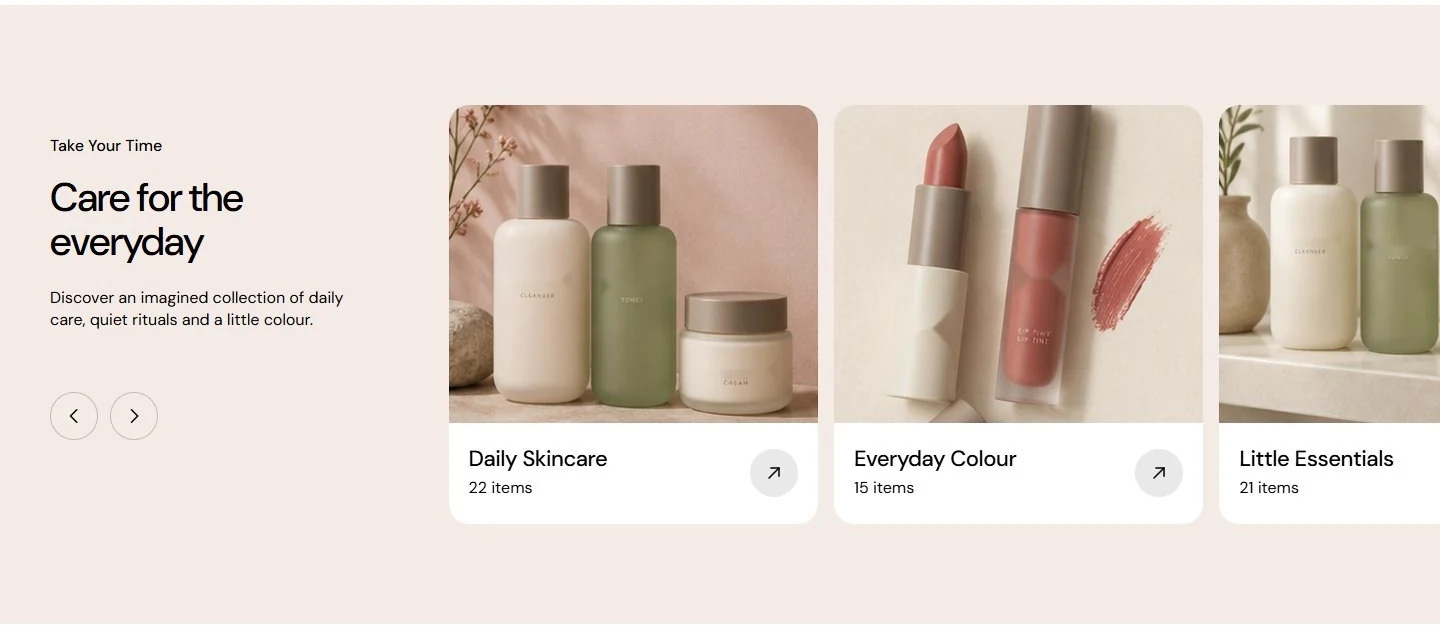
The buying panel keeps size, quantity and Add to Bag together. Further down, a comparison table uses the same fields for similar serums. On mobile, shoppers can return to the buying controls after reading, then check the selected size in the bag.


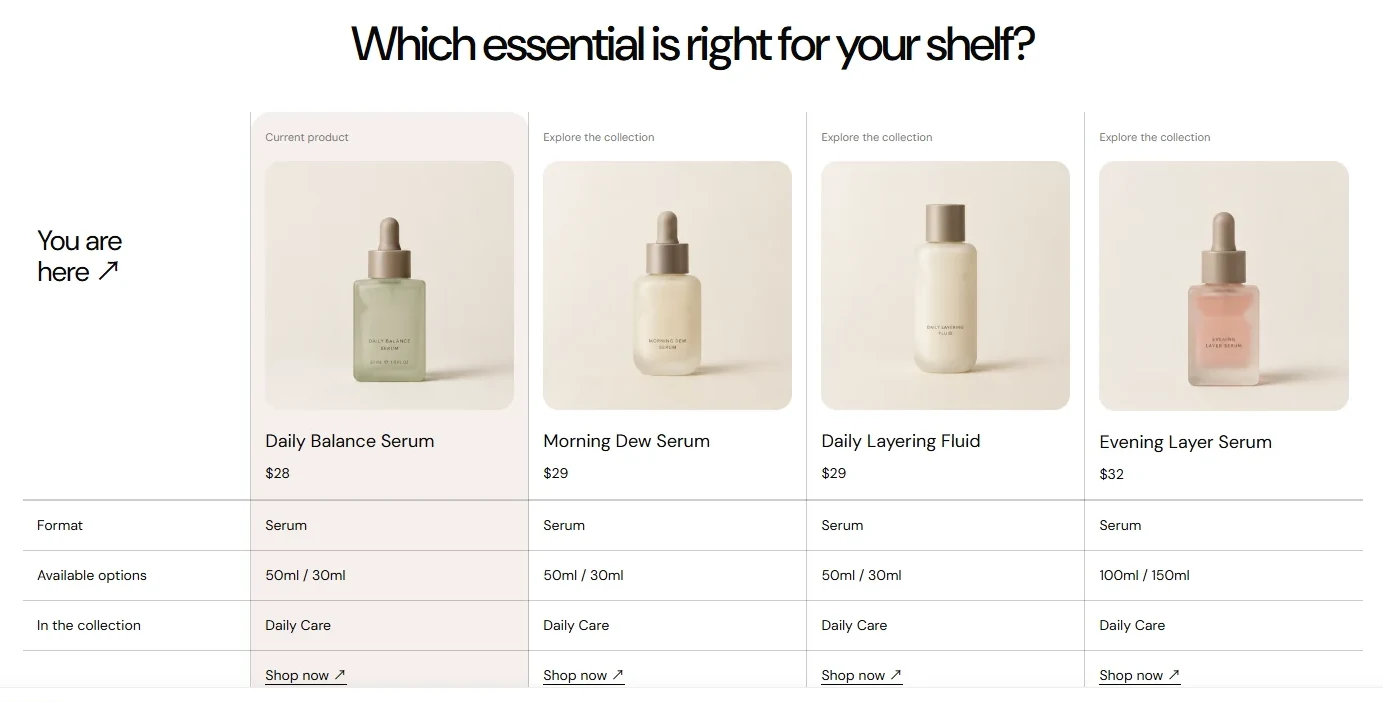
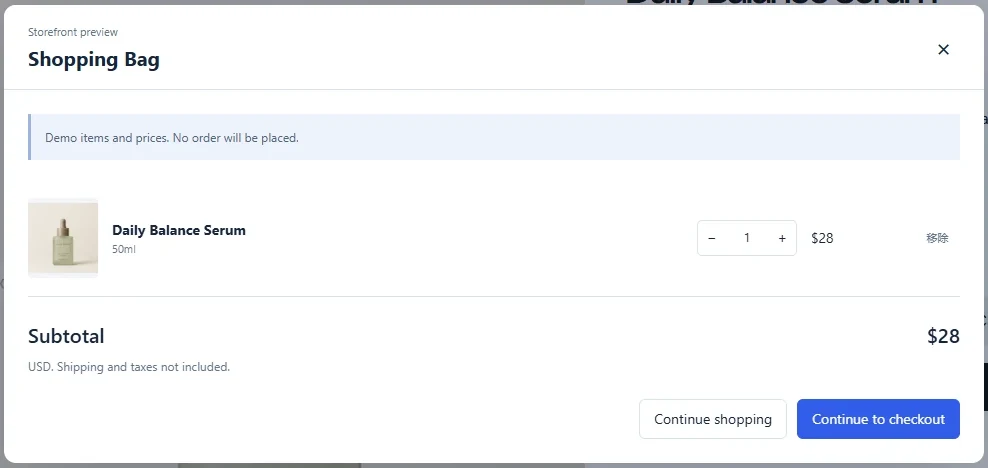
Reorganized homepage sections within an existing theme and carried consistent labels and information hierarchy across the product cards, size controls and comparison table.
A local catalog provides product types, prices and sizes. The collection reads filter selections, and the cart receives the selected product, variant and quantity.
The homepage, collection, product page and demo cart show routine-led discovery, set selection, product comparison and mobile shopping.
New products can fit into the same browse and comparison patterns by using the shared product card fields and comparison attributes.
This is a concept storefront. Products, prices, availability, ratings and purchase interactions are for demonstration.